
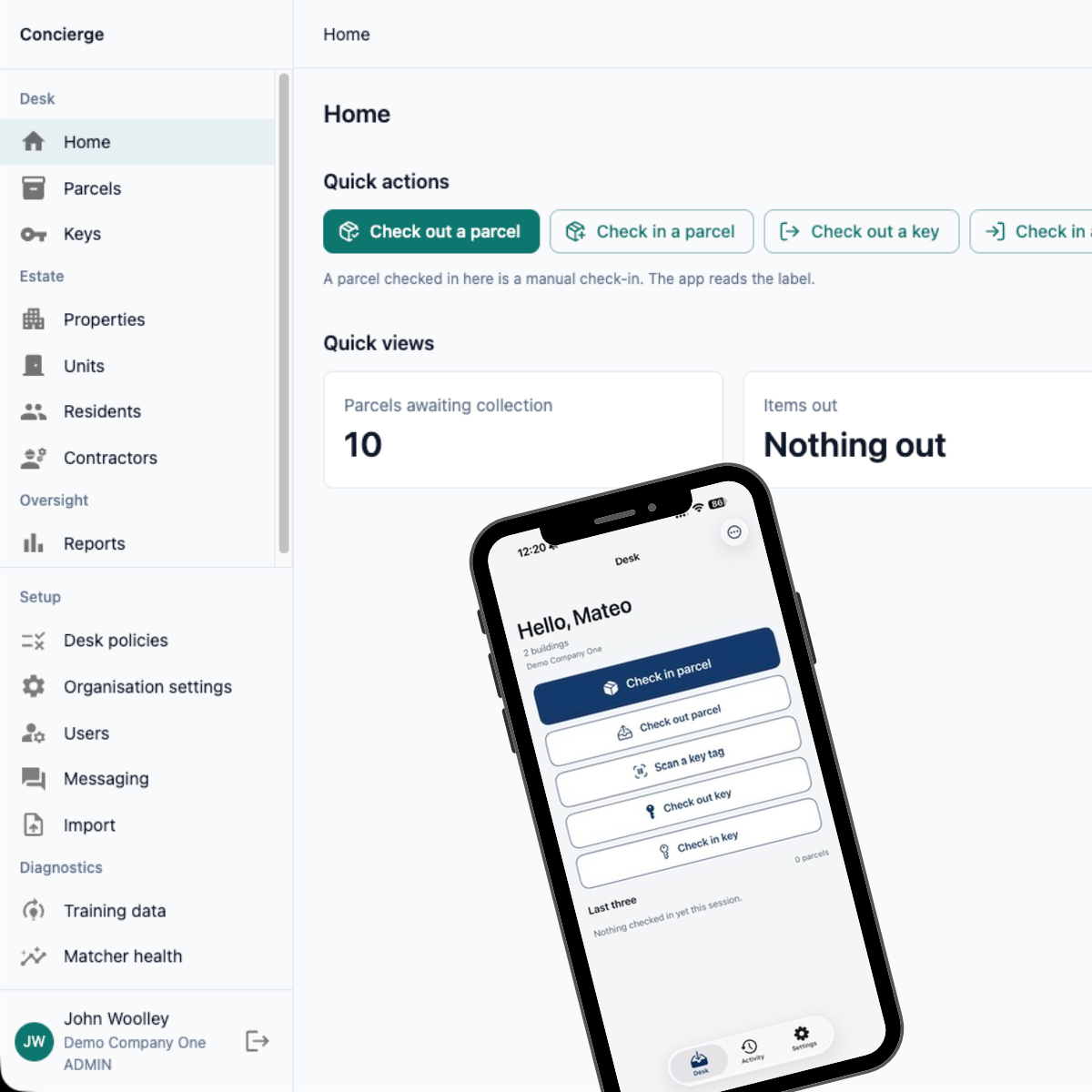
When we showed people Front Desk Assist, several asked how we had trained the AI.
We didn't use AI for this, for a number of reasons, but a major consideration was the cost to run the application, especially when the volume of incoming items are high. The app uses Apple’s on-device text recognition, barcode decoding and rules for matching parcel labels against a building’s resident roster. We didn’t train a model or connect it to a generative AI service.
Front Desk Assist is an iPhone app for building concierges. They photograph a parcel label, find the resident it belongs to and confirm the check-in. We built version 1.0 in less than four weeks.
The decision about generative AI came from looking at what the concierge actually needed to do. A parcel arrives with a name, an address and usually a barcode. The building already has a list of residents. We need to find a match in that list, or tell the concierge that we haven’t found one.
There didn’t seem much reason to introduce a generative model before finding out how far we could get with the information we already had.
What we found on real labels
We started by photographing seven real parcels and examining the output.
On one label, Apple’s text recogniser read EC1V 3AN as ECTV 3AN , with a confidence score of 1.00 . The correct postcode was there too, in the recogniser’s alternative readings.
Had we kept only the top result, we would have discarded it. So each line passed to the matcher includes its ranked alternatives. The matcher scores those readings against the roster. If an alternative produces the winning match, the evidence records ALTERNATIVE as the source, allowing us to check whether retaining those readings makes a useful difference.
We also added postcode-specific corrections. UK postcodes have positions where a letter or digit is expected, which lets us repair substitutions such as O/0 , I/1 , S/5 , B/8 and Z/2 selectively. Replacing every O with a zero would create another set of errors.
Some labels produced Cyrillic characters that looked like Latin capitals. They were easy to miss when reading the output on screen, but they stopped patterns matching. A small character-mapping table now normalises those lookalikes before extraction.
These were fairly small changes. We could reproduce each fault and write a test for the correction.
Reading the barcodes
All seven labels in our initial sample had a barcode that decoded successfully. Three carried the postcode.
Seven parcels tell us very little about the full range of labels a concierge will encounter. They did give us enough evidence to spend more time on barcode decoding. Before trying to improve the interpretation of a printed address, we needed to check what usable data was already encoded on the parcel.
We still need OCR. Barcode contents vary, and a tracking number alone does not identify a resident. But the sample showed that we were leaving useful information unread.
Deciding whether a match is clear
The matcher combines the unit number, surname, postcode and street. The unit number has the largest weight at 0.50 , followed by surname at 0.20 , with postcode and street at 0.15 each. Those weights are renormalised over the fields available on the label.
We also compare the leading candidate with the runner-up. A top score of 0.95 needs closer examination if the next candidate scored 0.93 . A small gap can mean the decision rests on a single character that the recogniser may have misread.
That is particularly relevant in a building where residents share surnames, or where similar unit numbers appear on labels. Two Hargreaves in the same flat may give us enough evidence to identify the unit without identifying the individual. The concierge has to resolve that.
A result pointing to another building has a separate indicator. We don’t want someone across the counter interpreting “wrong building” as an uncertain match within this one.
The concierge needs enough evidence to make a quick decision. Showing which fields matched, which conflicted and whether another candidate came close is useful at that point.
Checking the parcel in
Matching and check-in are separate operations. The first is read-only; the second happens after the concierge confirms.
The confirmation screen shows the address stored in the resident roster rather than repeating the OCR’s interpretation of the label. The concierge can compare the parcel with the record they are about to select.
The roster can contain mistakes too. Showing the stored record at least makes clear which address the check-in will use.
What a hosted model would add
Parcel photographs contain residents’ names and addresses. Some also reveal what they have ordered. Sending those images to a model provider would introduce another processor and another part of the data flow to assess and explain to clients.
We had already made decisions to limit where that information goes. Production builds don’t offer photo-library selection as a capture route. EXIF data is stripped before upload. The roster is held in memory rather than written to local disk, and each managing agent’s data is separated from the others.
A hosted model would need to offer a measurable improvement to justify the additional processing.
It would also add a network dependency and an ongoing cost. Text recognition runs on the phone. The roster is fetched at sign-in and revalidated, and there is an offline matcher. That matters at a desk receiving forty parcels with an unreliable connection.
We haven’t found a reason to pay for a model call on every parcel when the matching can be done locally.
The bugs we actually fixed
Our early mistakes were mostly assumptions about the labels and the building data.
The first unit-number rule expected a format that real labels often didn’t use. Flat numbers appeared at the beginning of the street line without a comma, so the rule missed most of them.
One development used at least three postcodes. Our seed data contained a fourth that appeared on none of the labels we photographed. Improving the reader would not have corrected the reference data.
Labels also carried sender details as well as recipient details. Taking the first name-shaped line was unreliable.
We found these problems by reading the output from those seven parcels. Each correction went into the code with a test.
The codebase now has more than 800 tests across 47 files. Most run against hand-written fixtures without a camera, network connection or device. We can change a postcode rule or a matching weight and check its effect against known cases. A model could be evaluated too, but it would require a different testing approach; the current logic is straightforward to inspect and reproduce.
Where a model might help
We may eventually encounter enough handwritten labels, or enough difficult sender-and-recipient layouts, to justify evaluating a model.
The confirmed check-ins give us material for that evaluation: the recogniser’s output, the extracted fields and the concierge’s final selection. We would still need to check the quality and permitted use of those records before treating them as a training or evaluation dataset.
For now, our useful discoveries have come from looking at parcels, checking the resident data and correcting specific failures. That work got us to version 1.0 in less than four weeks. We’ll consider a generative model when we have a problem it can demonstrably solve better.
Share this post
John Woolley
Managing Director
John is based in London England and is the founder of Wolf Not Sheep Ltd. He has a long and varied career in technology, spanning sales, solution sales, professional services, product management and software engineering at senior levels. Today he operates a portfolio career, providing fractional CRO, CSO, CTO, CPO and CAIO services to startups and scale ups. He is a software engineer and artificial intelligence practitioner and when not building things he’s an avid fan of movies, books, occasional video games, long walks and good beer.